How to clip a livestream into shorts people can follow
A practical edit checklist for turning a long stream into vertical clips. Find the setup and payoff, check the phone crop, then write the first line of the post.

Try this on one moment from your last broadcast. A first-time viewer should be able to tell what you were trying, what happened and why you reacted. You can do the whole edit by hand or use StormClip for the first cut.
Find the start by working backward
Scrub to the payoff. Now rewind until you hear the shortest line that makes it understandable. In a cooking stream, the payoff might be the inside of a loaf on camera. “This one rose overnight in the fridge” earns its place before that reveal. Two minutes of looking for the knife probably do not.
If you are using the clip agent, describe both beats. “Keep my prediction and the first slice” is a better brief than “find something viral.” For a quiet visual payoff, include the timestamp.
Check the cut twice
- Watch without sound. Does the first image show the subject? A vertical crop can cut the loaf, game score or editor window out of the original wide shot.
- Listen without looking. Does a sentence begin halfway through a word? Leave a little room for the breath before the line.
- Read names and numbers. Correct the captions where a username, score or technical term changes the meaning.
- Stop at the payoff. A smile may earn another second. A loading screen rarely does.
Publish one version you can learn from
Pick a platform you already check. Write a first line that adds context, such as “I changed one thing in my overnight dough.” Play the final export in the app preview so you can see whether its buttons cover a caption. Keep a note of the opening line and what people ask in the comments.
A repeat question makes a good prompt for the next stream. If people keep asking about fridge temperature, answer it on camera and clip that answer. Read how to grow a small stream to connect the two posts to your next broadcast.
Make a first cut somebody else can explain
For the loaf example, write down the three frames a viewer needs: the dough before baking, the first slice, and the inside of the loaf. Listen for the sentence that connects them. If you said “same flour, twice as long in the fridge,” keep it before the reveal. If you said it after slicing, you can open with the slice and carry the explanation into the following shot. Both cuts can be honest, provided you keep the order of the two batches clear.
Ask someone to watch the cut without your post caption. Then ask what changed between the two loaves. “You left one in the fridge longer” means the edit carries the information. “You baked some bread” tells you that the contrast got lost. The fix might be one extra second on the first loaf, or a caption that identifies which batch we are looking at. Adding a louder opening will not solve a missing comparison.
Run the phone preview before exporting the rest
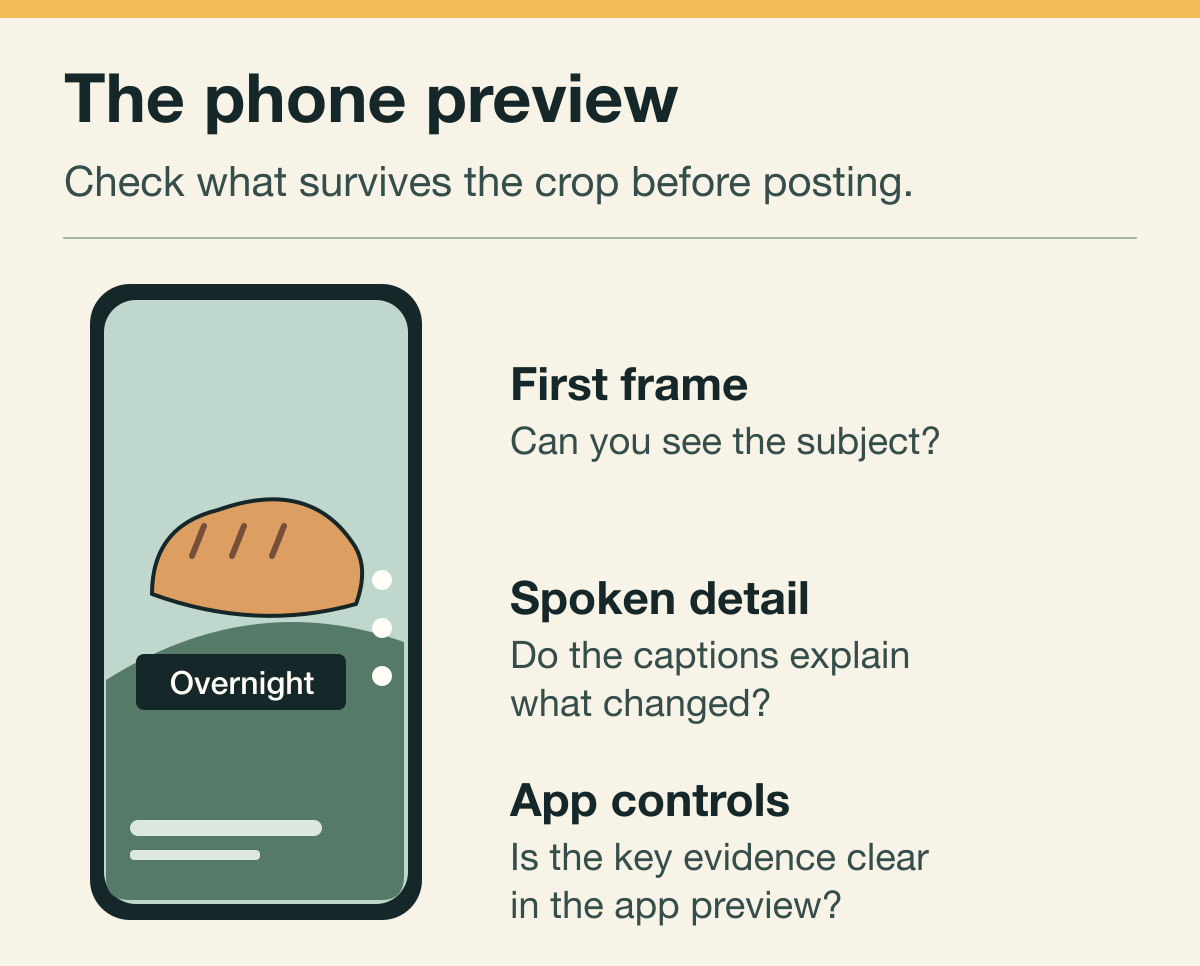
Hold the phone at an ordinary reading distance. Pay attention to the object, the subtitles and the app controls in that order. If your eye has to jump from the loaf at the top to a three-line caption at the bottom, move the caption closer to the action. Watch the actual platform preview because its controls can cover different parts of the picture.
Finally, listen with headphones at low volume. A knife tapping the board can swallow the first word of the explanation. Try starting a fraction later or keeping a short lead-in before the line. Once the clip reads clearly on mute and the sentence survives on audio, save that version. It becomes the reference cut when you make the next export.
Browse all guides →