One stream, nine platforms, one week of shorts
Follow one moment from a stream recording to a captioned short, a platform-specific export and a posting schedule you can actually keep.


Imagine a two-hour stream where a viewer suggests a shortcut. You try it, miss the turn, and both routes meet at the same intersection. That one exchange gives a stranger the premise, the surprise and a reason to remember you. Here's how to carry it through StormClip.
Find the moment once
Paste a supported stream recording link or upload your own video. Give the clip agent the detail you remember, such as “the shortcut chat talked me into.” StormClip searches what you said. For a moment with little commentary, supply a timestamp or narrow the source window yourself.
Review the first cut on a phone
Play the preview from the first frame. Keep the line that sets up the shortcut, cut the waiting at the junction, and keep the laugh at the end. Make sure the road stays visible in the vertical crop. Check the spelling of the viewer's name before you approve the captions.
Give each post a different job
For YouTube Shorts, try a title someone can find later, such as “Testing chat's shortcut through downtown.” For TikTok or Reels, “Chat promised this was faster” makes sense in a scrolling feed. For a community that already knows the route, a question like “Which turn would you take?” invites a useful reply.
StormClip prepares files and copy for nine destinations. Open the platform kit you need, check its framing and read the copy in your own voice. The platform specs show the limits the exporter uses.
Queue what you can review
Start with two destinations you actually use. Schedule approved clips for supported connected accounts. For another app, download its file and paste the matching copy when you publish. A second clip later in the week can show the rematch. Give each post a reason to exist beyond filling a slot.
After the next stream, note which post sent someone back to your channel. That is the cut worth making again. For the editing pass itself, use the livestream clipping checklist.
Build a week's posts from one decision
Take the shortcut story above. On Monday, publish the wager: “Chat thinks this side street saves time.” Show enough of the junction for viewers to pick a side. On Wednesday, use the original stream's result: keep the reunion at the intersection and your reaction. On Friday, use a new moment from the next broadcast if you actually tried the suggested route again. If there was no rematch, two good posts are a complete series.
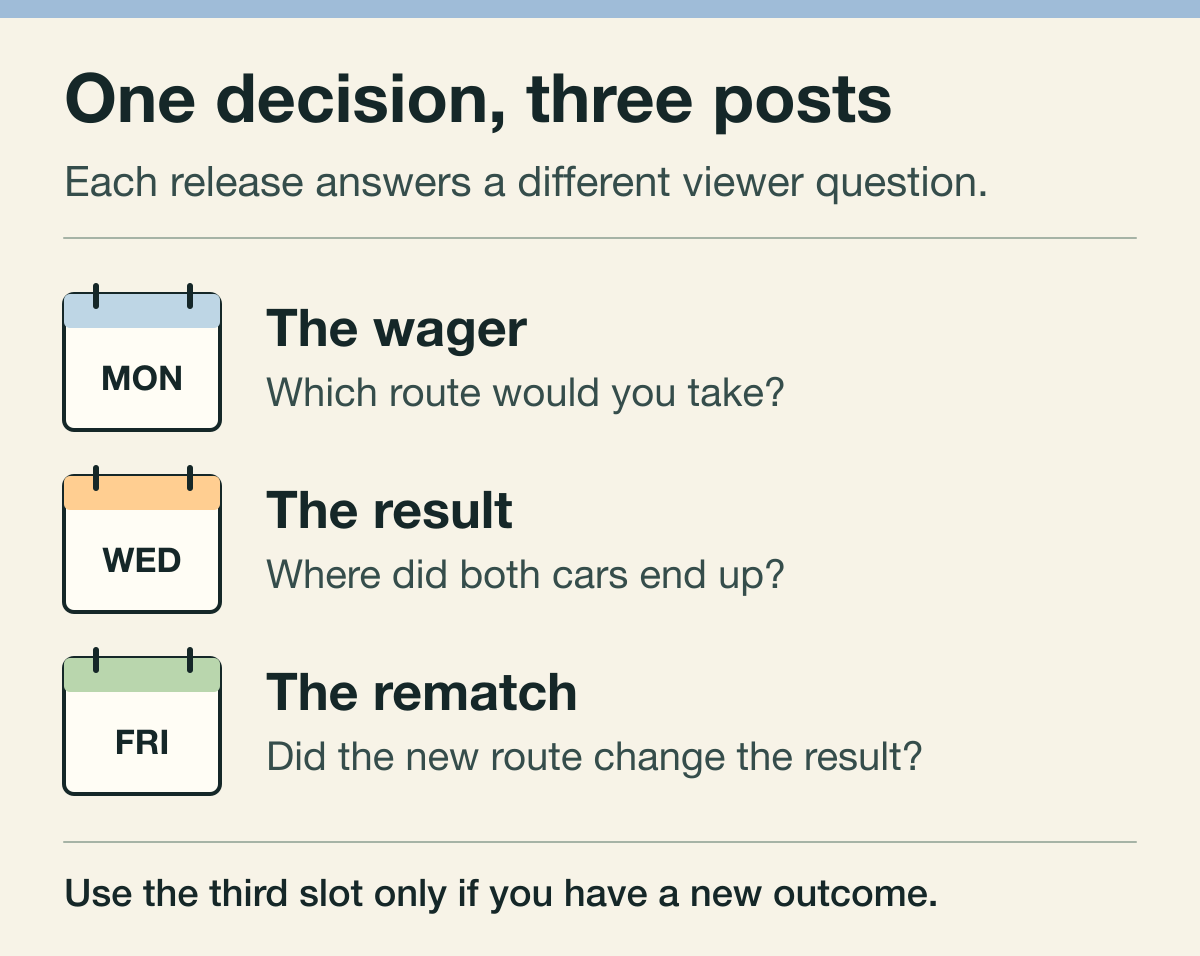
Write the three descriptions side by side before you schedule anything. A viewer who sees only Wednesday's post should understand what the bet was. Someone who saw Monday's should get the answer they were promised. That small difference changes the edit: Monday needs the choice, Wednesday needs the recognizable landmark, and Friday earns its place only if something changed.
Do a two-destination export check
Choose a vertical destination and one where you normally post a wide clip. Open each exported file at the size it will actually play. In the vertical cut, can you still see both cars at the junction? In the wide cut, can you read the crucial subtitle from across the room? A different crop may solve the first problem. Fewer words on screen at once may solve the second.
Keep a note of which file and caption went to which destination. When somebody asks about the side street, you can find the right version and answer in the language of that post. Before preparing a third destination, check whether you have time to do that there too. Publishing the answer and showing up for the replies is a better use of an afternoon than exporting seven more files you have no plan to post.
Browse all guides →