Podcast and interview clips with captions
Cut a podcast episode or interview into captioned vertical clips, each with a title, caption and hashtags for nine platforms. How it works with StormClip.

A podcast episode is an hour of talk with a handful of answers that stand on their own. Those answers are what get shared, and they are easy to find if you read the transcript and slow to find if you listen. StormClip reads it.
Keep the condition attached to the quote
Listen for qualifications such as “for our first ten customers” or “only when we ran it locally.” Cut the question if the answer repeats it. Keep the qualification in the clip, then play it back against the original answer before writing the headline. A guest should recognize their own point when the clip travels on its own.
The workflow
- Bring the episode. Paste the YouTube link if the video episode is there, or upload the recording.
- Name the guest and the topic. A line of context ("interview with a founder about pricing, audience is other founders") steers the picks toward what your listeners care about.
- Get the picks. StormClip transcribes with word timing and proposes the strongest stretches: a clear answer, a story with an ending, a line worth quoting. Each one says why it was picked.
- Tighten them. Trim the start so the clip opens on the answer and not the question. If a guest made one point across two answers, splice the ranges into one short.
- Check the names. Guest and company names are the words a transcriber gets wrong. Fix them by name and the captions render again.
- Post with the right words. Each clip comes with copy for each of nine platforms: a keyword first title for YouTube Shorts, a hook line for TikTok and Reels, a first person lesson for LinkedIn, a plain line for X.
Captions people can read with the sound off
Every word is timed to the audio and highlighted as it is spoken. Captions are kept inside the area each app leaves clear of its own buttons, which is a different area on every app. You can change the accent colour, size, case and position for one clip or for the whole episode.
What it costs
1 credit is 1 minute of episode, however many clips you take from it. Kick and Twitch streams and VODs, and uploads are 50% off: 1 credit is 2 minutes, so a 60 minute episode you upload is 30 credits. Monthly is $29 per month for 1,800 credits. For a monthly show, a pack of 360 credits for $9 may be enough, and pack credits do not expire.
What to know first
- StormClip transcribes English.
- The vertical frame is a fit or a crop that you position. It does not follow the active speaker, so a wide two person shot is best fitted whole or cropped to one side. Tools that track the speaker are compared in StormClip vs Klap and StormClip vs OpusClip.
- It works from a video file or a YouTube link. It does not pull from a podcast feed.
Cut a claim without changing what the guest meant
Suppose a guest says, “For our first ten customers, I answered every support email myself. After that, we took turns.” The attractive headline is “I answered every support email myself.” It also drops the time limit. In the edit, keep “for our first ten customers” attached to the sentence. The guest's choice has become more interesting: a listener can ask when the founder stopped doing it and why.
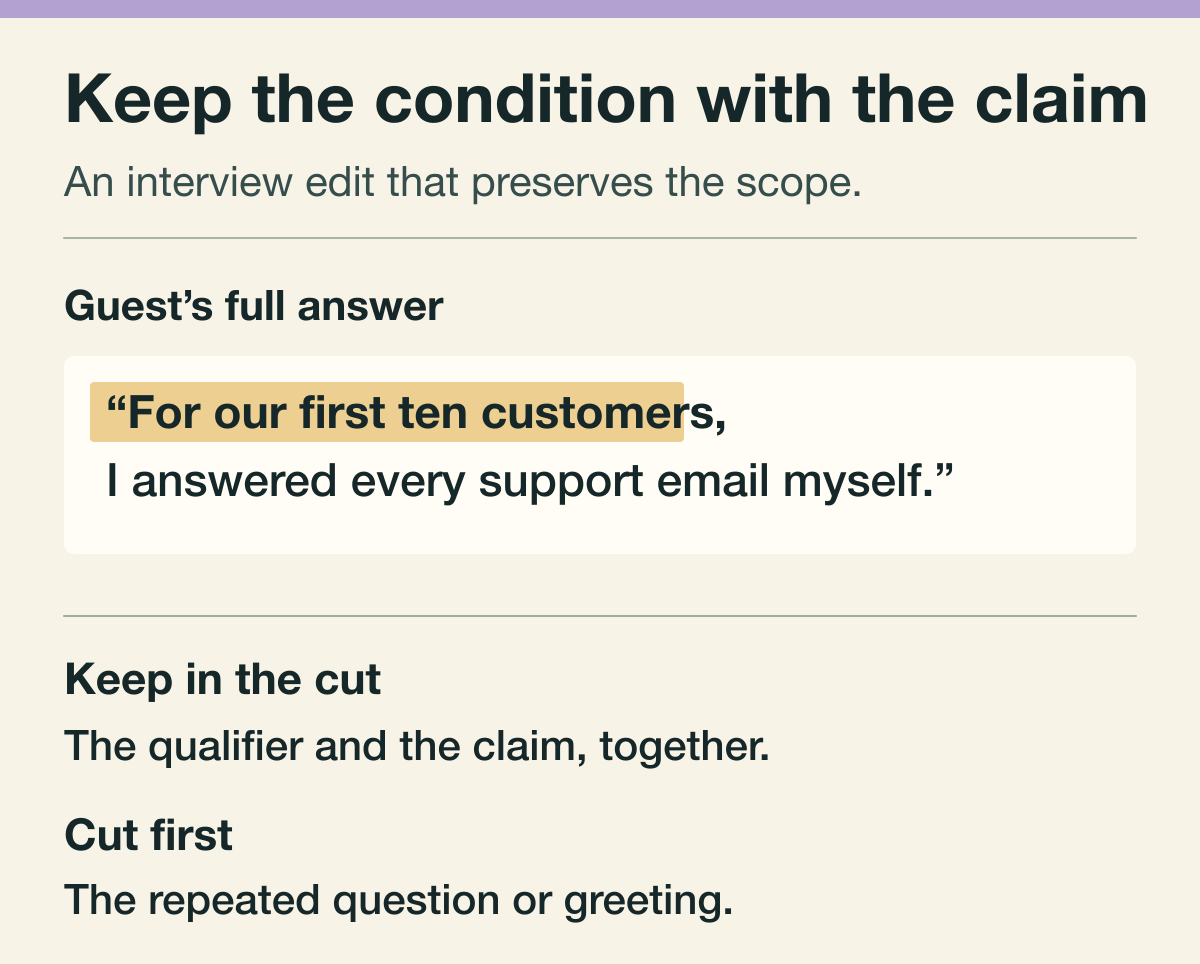
If the host takes twenty seconds to ask the question, check whether the guest repeats enough of it in the reply. When the reply begins “Yes, absolutely,” cutting the question leaves a confident answer with no subject. Keep the last useful clause of the question, or begin on the guest's first complete statement. Play the two versions to someone who missed the interview and ask what claim they heard.
Check the crop on a speaker change
On a two-person shot, mark the point where the speaker changes and the point where the listener reacts. If the laugh is part of the answer, use a wide fit long enough to keep both faces. If the listener is still and the guest is explaining a detail, a tighter view of the guest may carry the sentence better. Read the captions over both shots. A position that clears the guest's face can cover the host when you cut back.
Send the guest the final clip and the proposed headline together if your editorial agreement calls for approval. A careful video cut can still acquire a misleading caption in the upload box. Keep the approved wording with the export so the person scheduling the post has the same context as the editor.
Browse all guides →