Turn a long livestream into shorts
How to get a week of captioned shorts out of a 3, 5 or 8 hour stream with StormClip, without scrubbing through the VOD yourself.


A long stream is the hardest thing to clip by hand. The good moments are spread over hours, you do not remember where they were, and watching it back takes as long as the stream did. StormClip reads the whole thing for you.
Choose the hour worth editing
Write down one remembered moment and the activity on either side of it. If chat voted on a build at the three-hour mark, process the vote and the first attempt together. Compare that with starting at the win itself: which version would a stranger understand? Selecting the window also gives you control over how many source minutes you process.
The workflow
- Give it the stream. Paste the YouTube link to the stream or VOD, or upload the recording from OBS (a .mov or .mp4 up to 8 GB). An upload that drops picks up where it stopped.
- Say what the stream was about. One line of context, plus what to clip and what to leave out: "the boss fights and the chat argument about builds, skip the setup at the start".
- Let it listen. StormClip transcribes the full stream with word timing, scores it stretch by stretch for hooks, payoffs and lines people will quote, and proposes the strongest moments.
- Review the picks. Every pick renders right away as a captioned vertical short. Approve the ones you like, trim a start or an end, or reject it.
- Ask for more. Tell the clip agent "3 more clips about the boss fight" or "find where I talked about the new mic". It searches the transcript, so a topic you came back to four times in six hours is found each time.
- Post. Each approved clip has its own file and its own title, caption and hashtags for each of nine platforms. StormClip posts to YouTube Shorts and Bluesky for you and hands you a ready kit for the rest.
What a long stream costs
Monthly is $29 per month for 1,800 credits, and 1 credit is 1 minute of stream. A 4 hour stream is 240 credits, however many clips come out of it. Kick and Twitch streams and VODs, and uploads are 50% off: 1 credit is 2 minutes, so the same stream as a Kick VOD or an upload is 120. If you are live every day, Daily is $79 per month for 6,000 credits, which is 100 hours of YouTube, or up to 200 hours of Kick streams or uploads. If you stream less often, a pack is $9 for 360 credits and does not expire.
You do not have to process all of it. Give a start and an end time and only that window is read and charged, which is useful when you know the good hour.
Things that help on long streams
- Splices. A story you told in two parts an hour apart can become one short: the agent cuts 2 to 4 ranges together in order.
- Different lengths per platform. Snapchat Spotlight takes up to 60 seconds and Facebook Reels 90, so one moment is cut to fit each. The limits are in the platform specs.
- A posting plan. A long stream gives more clips than one day should carry. Autopilot queues the approved ones at each platform's better hours.
What it does not do
StormClip picks from what is said. It does not detect in-game events such as kills or wins, and it transcribes English. For a gameplay stream with little talking, a tool that watches the game will find more. See StormClip vs Eklipse.
Work a four-hour VOD backward from one known moment
Imagine a build challenge that runs from 6 pm to 10 pm. You remember the final test at about 9:10. Convert wall time to time since the recording started before typing a range. If the VOD begins at six, 9:10 is around 3:10:00 in the video. If you had a waiting screen before the show, use the VOD player's timestamp as the reference.
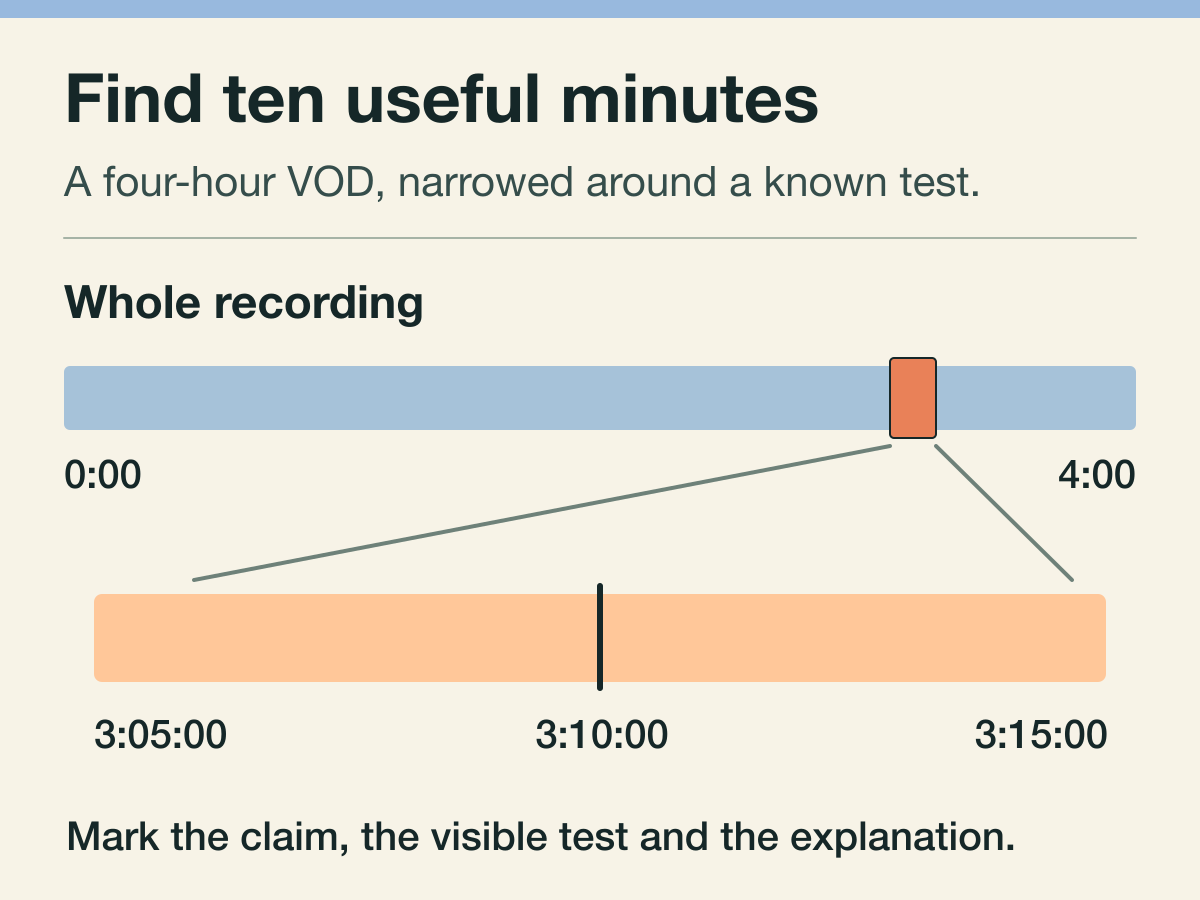
Start by reviewing a window around 3:05:00 to 3:15:00. Listen for your claim about what the test should do. Watch the frame where the result changes, then find the first sentence that explains the change. If the claim was made much earlier, note its timestamp separately. You can use two short ranges to tell one coherent story without putting the entire intervening hour into the clip.
Keep a cut log that another editor could use
For each candidate, record four details: the source time, the words to start on, the visible payoff, and the reason it matters. “3:10, fan test” still forces the next editor to hunt around. “3:09:42, start on 'watch the blue light', hold until it stays on, first successful run” gives them a cut they can check.
Review three candidates before doing another processing pass. If all three are reactions to the same win, pick the one that explains the problem most clearly. For a second post, go back to the earlier failed attempt and show what changed. That produces a different story from the same four hours. It also gives you a specific reason to spend credits on another window.
Browse all guides →